Social media image sizes in 2026 (Instagram, Facebook, TikTok, YouTube, X, LinkedIn)
Each social network has its own sizes, and when a photo doesn't fit the right ratio, the platform crops it on its own —right where you didn't want. This guide gathers the current sizes for the main networks, with a simple principle: what almost always matters is the aspect ratio (square, vertical, horizontal), and then the pixel size. By the end you'll know what format to leave each image in so it shows in full.
The rule that solves 90%: think in ratios
- 1:1 (square): profile photos and square feed posts.
- 4:5 (vertical): one of the vertical formats Instagram lets into the feed uncropped (it accepts up to 3:4).
- 9:16 (tall vertical): stories, Reels, TikTok, Shorts.
- 16:9 (horizontal): YouTube thumbnails, wide covers.
Profile photos (avatar)
Almost every network uses a square avatar and shows it cropped in a circle. That's why it pays to leave air around the head. A square of 800×800 px covers them all (it's my usual value, no official source); what each platform actually publishes is in the sections below.
Where the sizes come from
I checked every figure on 2026-10-06 against the platform's official help page and left the link. When I couldn't find an official source I marked it as no official source, common value instead of presenting it as certain. Those pages change: if a figure doesn't match what you see, trust the platform.
Official source: Instagram Help, “Image resolution of photos you share on Instagram” (verified on 2026-10-06). Instagram uploads photos up to a width of 1080 px and keeps them as they are if they measure between 320 and 1080 px wide and their aspect ratio is between 1.91:1 and 3:4 (at 1080 px wide, from 566 to 1440 px tall). Outside that range it crops them.
- Profile: 1:1 (shown in a circle). 320×320 minimum; 800×800 is plenty. No official source, common value.
- Square post: 1:1, 1080×1080 px. Within the official range.
- Vertical post: 4:5, 1080×1350 px. Within the official range, which goes up to 3:4 (1080×1440); the page doesn't name 4:5 as such.
- Story / Reel: 9:16, 1080×1920 px. No official source, common value.
Official source: Facebook Help, “Facebook Page profile picture and cover photo dimensions” (verified on 2026-10-06). It's the help for Pages; I didn't verify the personal profile sizes.
- Page profile photo: 320×320 px for the best quality. It shows at 176×176 px on computer and 196×196 px on mobile, cropped in a circle.
- Page cover: minimum 400×150 px. It loads faster as an sRGB JPG of 851×315 px and under 100 KB. On computer it's 16:9 and on mobile 2.4:1, so it's cropped differently.
- Post: 1200×630 px is a versatile size that also works for links. No official source, common value.
TikTok
Official source (in-feed ads only): TikTok Ads Manager, “In-Feed Ads” (verified on 2026-10-06). For regular posts I didn't find an official page with sizes.
- Profile: square, shown in a circle. 200×200 minimum; upload larger. No official source, common value.
- Vertical video / photo: 9:16. The official ad specification recommends 9:16 of at least 540×960 px (and accepts 1:1 of at least 640×640 px). 1080×1920 px is the common size, no official source for regular posts.
YouTube
Official source: YouTube Help, “Add custom thumbnails on YouTube” (verified on 2026-10-06).
- Channel photo: square, 800×800 px recommended (shown in a circle). No official source, common value: the channel-profile help doesn't state pixels.
- Thumbnail: 16:9. YouTube recommends 3840×2160 px with a minimum width of 640 px, as JPG or PNG, and up to 2 MB if you upload from your phone. 1280×720 px is the common size and meets the minimum. It's where the click is won: a clean background and a cut-out subject help it stand out.
X (Twitter) and LinkedIn
- X — profile: 1:1, 400×400 px or more (circle). No official source, common value: X's help page wouldn't open from my test browser on 2026-10-06.
- X — post image: 16:9 shows in full in the timeline. No official source, common value (same reason).
- LinkedIn — profile: 1:1 recommended; between 400×400 and 7680×4320 px, up to 8 MB, as PNG or JPG.
- LinkedIn — cover: horizontal, 1584×396 px.
Official LinkedIn source: LinkedIn Help, “Photo won't upload to your profile” (verified on 2026-10-06).
How to get the photo to its size, step by step
- Identify from the lists above the ratio and size the network and post type ask for.
- Open the image in PhotoCut Studio.
- If you want to clean up or change the background, use the AI Cutout and choose a color or image (very useful for YouTube thumbnails and avatars).
- Use the scale/framing control to fit the subject within the right ratio.
- Export as JPG (photos) or PNG (graphics, text or transparency).
Typical size mistakes
- Uploading horizontal to a vertical format. The network crops the sides; frame vertical first.
- Avatar with the face against the edge. The circular crop eats part of the head.
- An overloaded YouTube thumbnail. At small size it's unreadable; big subject, simple background.
- Uploading too small. The network can't invent pixels: a 200 px photo looks blurry when enlarged.
Without uploading your photos anywhere
The whole cutout, background change and framing happen in your browser. Your photos aren't uploaded to any server or stored when you close the tab.
Frequently asked questions
JPG or PNG for social media?
For photos, a good-quality JPG is standard and lighter. PNG is better with text, sharp-edged graphics or transparency. Networks recompress anyway, so uploading at good quality helps the result.
We tested it: from 4000 × 3000 px to the size of a post
Image: paisaje-sintetico.jpg, 4000 × 3000 px, 96.9 KB (synthetic image I drew with Pillow).

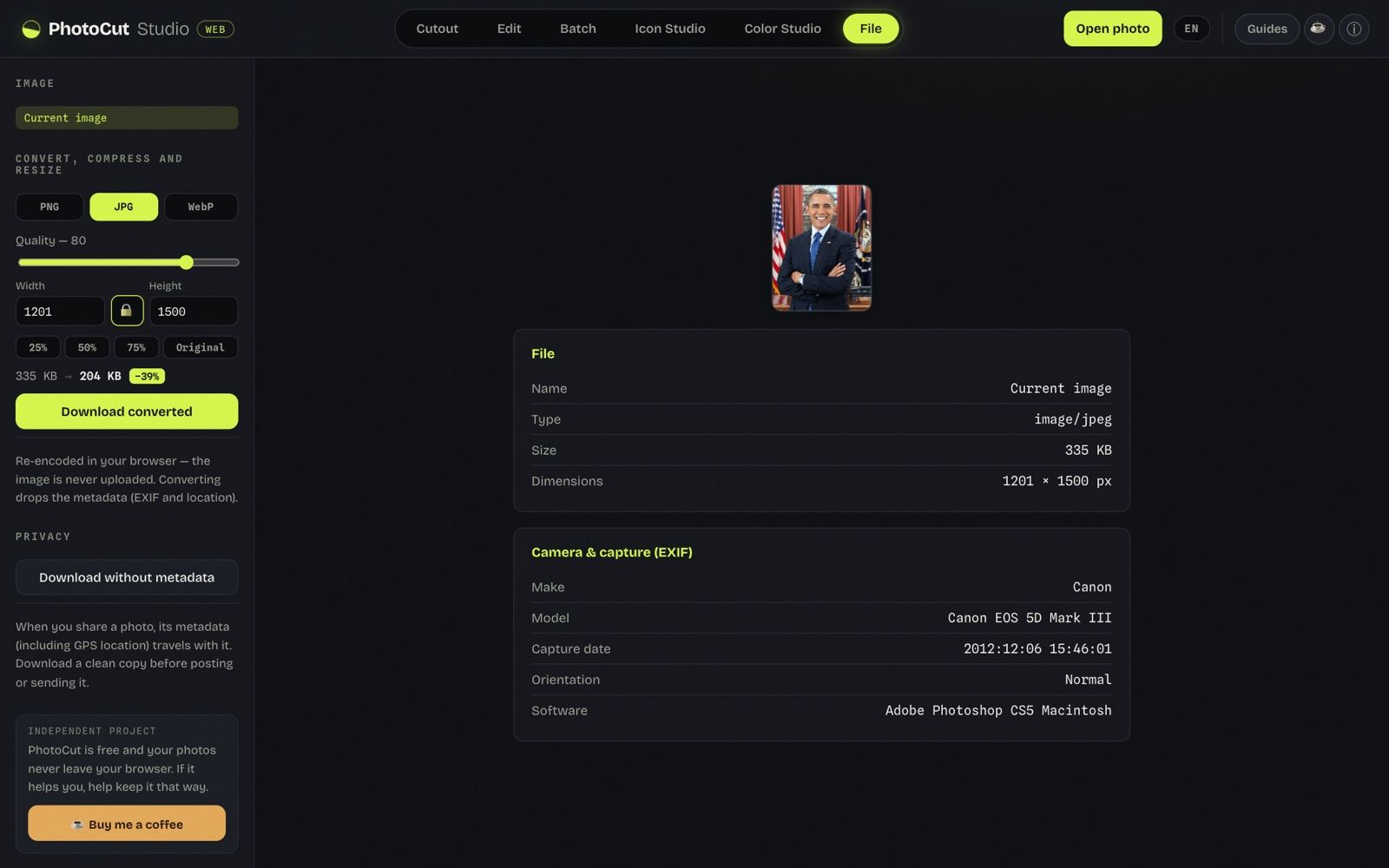
Tool: File → width and height with the lock.
What I did:
- I opened paisaje-sintetico.jpg (4000 × 3000 px, a synthetic “phone” photo) and went to “File”.
- With the aspect-ratio lock on I set the width to 1080, JPG quality 80, and downloaded.
- I turned the lock off, set 1080 × 1350 (Instagram's vertical size) and downloaded again.
What I measured:
- With the lock: width 1080 → height 810. It produced a 1080 × 810 px, 16 KB JPG (the original weighed 97 KB) in 0.3 s counting the download.
- Without the lock, asking for 1080 × 1350 px, it produced a 1080 × 1350 px, 23 KB JPG. Since the photo is 4:3 and the requested size is 4:5, the image ended up stretched to 60% of its horizontal proportion.
What went wrong or what limit I saw: The File panel resizes but doesn't crop to an aspect ratio: to take a 4:3 photo to 1080 × 1350 I could only stretch it (to 60% of its proportion), or leave it at 1080 × 810 with the lock. To respect the proportion you would have to frame it first (I didn't try “Crop area” for that). The photo is synthetic: I didn't measure how much each network recompresses.
More guides
How to make a round profile picture (avatar) free
The square-to-circle detail that applies to every network's avatar.
PNG, JPG or WebP: which to choose (and when)
Which format to export for each type of image.